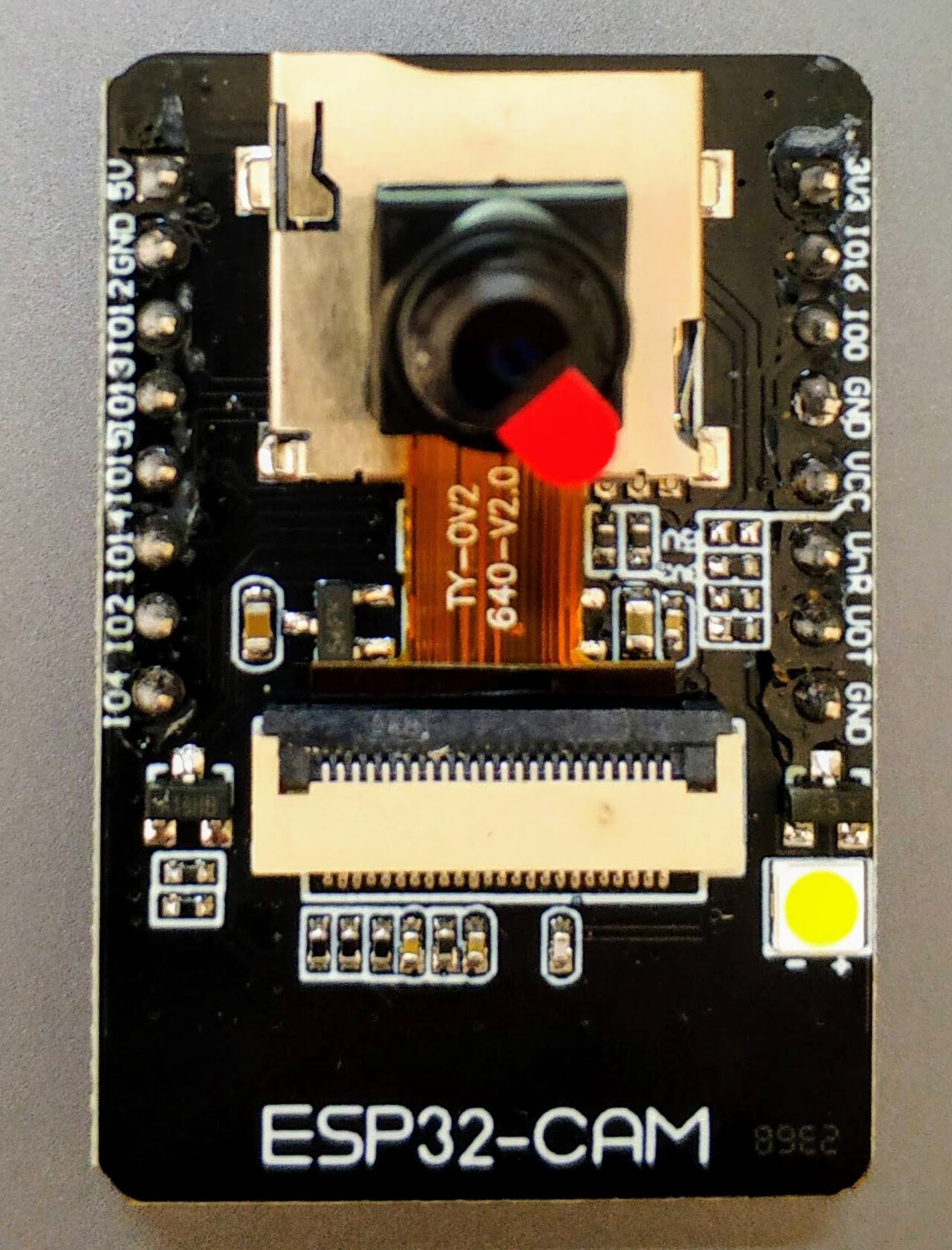
Prusa Research publishes its ESP32 camera firmware for the Prusa Connect ecosystem as open source, which lets people build on it. One maker took the offer seriously. In a fork published on GitHub, a developer named Sam has taken the upstream firmware through 42 revisions of a variant built for the Seeed Studio XIAO ESP32-S3 Sense with an OV5640 autofocus camera. The result adds autofocus, digital zoom and pan, exposure lock, SD-card timelapse recording made more robust to power outages, and automatic timelapses triggered through PrusaLink. Hackaday featured the project on November 25.
The project is a useful look at what happens when an open printer platform meets a user who wants more than the stock feature set. It also shows how much work hides inside a "simple" camera add-on.
Where It Started: Testing an Open Printer
According to Hackaday's write-up, Sam set out to test how open a Prusa Core One really is. On paper the answer is "quite open": the printer runs open-source firmware and has room for a plugged-in camera. Prusa's own camera firmware already gives Prusa Connect users a basic remote view of their prints.
Sam wanted more than a basic view, and getting there took 42 firmware revisions. The repository now holds 173 commits, and the variant's version string, 1.1.2-xiao-ov5640.NN, shows its lineage. It is built on upstream release v1.1.2, with an iteration counter for the XIAO and OV5640 changes added on top.
The README is direct about the project's status. It is an independent fork of prusa3d/Prusa-Firmware-ESP32-Cam, it is licensed under GPL-3.0, and it is not affiliated with Prusa Research. Anyone running it should treat it as community firmware, not as a supported Prusa product.
What the Fork Adds
The feature list is long, and the individual items matter more than the headline. Here is what the variant branch adds over upstream:
- OV5640 autofocus. The camera can now focus itself instead of relying on a fixed lens. That matters when the camera sits at an awkward distance from the build plate.
- Software digital zoom with pan and tilt. You can crop into the part of the frame you care about, such as the nozzle or one region of the bed, and move that crop window around. Hackaday notes that Sam had to work through issues with the digital zoom along the way.
- Exposure lock and fine image tuning. Sam ran into exposure that would randomly wash out. Locking exposure is the obvious fix for a camera aimed at a scene whose lighting changes as the printer's lights, the room and the print itself shift.
- Save and restore presets. Once you have dialed in focus, zoom and exposure, you can store the settings and bring them back without repeating the work.
- SD-card timelapse recording with on-device file management. The camera writes timelapses to local storage. The firmware also includes SD recovery tools and file management on the device itself.
- PrusaLink auto-timelapse. Recording can start automatically through PrusaLink, so you don't have to remember to press record before a long job.
The Hard Part: Files, Power and Robustness
The flashiest feature here is autofocus, but the most interesting engineering is in the less glamorous items. Hackaday notes that SD-card access for timelapse storage brought filesystem complications. Anyone who has written to flash storage from a microcontroller knows why. A recording that is interrupted partway, by a crash or by someone pulling the plug, can leave files and filesystem structures in a bad state.
Sam's answer, per Hackaday, was to make the recording process more robust to power outages, and the README lists on-device SD recovery too. For a timelapse camera this is not a nice-to-have. Long prints are exactly the jobs most worth recording, and they are also the jobs most likely to run into a tripped breaker, a brownout or a printer that gets power-cycled overnight. A timelapse system that loses everything when power drops fails in the situations where it matters most.
Auto-start recording is in the same spirit. If capture depends on a person remembering to start it, it will eventually be forgotten. Tying it to PrusaLink turns the timelapse into something that just happens, which is how a printer accessory should behave.
Building It Yourself
The fork ships no prebuilt binaries, and the reason is worth understanding. The README explains that compiled images would embed WiFi credentials, so they are not committed to the repository. You build the firmware yourself, which means your network details never end up in a public file.
The documented build configuration is specific:
- Board:
XIAO_ESP32S3 - PSRAM: OPI
- Flash: 8MB, with the
default_8MBpartition scheme - Toolchain: Arduino IDE 2.3.4 with arduino-ESP32 core 3.1.0
Matching those versions closely is the safest route. ESP32 camera projects are known for being sensitive to core versions and PSRAM settings, and the README pins exact numbers for a reason. The hardware target is narrow too. This branch is written for the XIAO ESP32-S3 Sense paired with an OV5640, not for any ESP32 camera board you happen to have lying around.
What It Means for Makers
The obvious takeaway is practical. If you run a Prusa printer on Prusa Connect and found the stock camera firmware too limited, a community-maintained alternative now offers autofocus, zoom and pan, exposure lock and local SD recording. The price of entry is a specific, inexpensive board and a session in the Arduino IDE.
The broader point concerns open ecosystems. Prusa's choice to publish the camera firmware is what made this project possible. A closed camera module would likely have left Sam with a choice between accepting the stock behavior and replacing the whole system. Instead he could fork, iterate 42 times and publish the result for everyone else. That is the argument for open printer firmware made concrete.
It is not the only route to a better print camera. Hackaday readers pointed to familiar alternatives in the comments: OctoPrint with a USB webcam, and Obico for automated spaghetti detection. Those tools solve different problems. Obico focuses on catching failures, while OctoPrint brings its own full printer-management stack. If you specifically want to stay inside Prusa Connect on a small self-contained camera, though, this fork fits that niche well.
The usual cautions apply. This is unofficial, GPL-licensed community firmware with no affiliation to Prusa Research, and you are responsible for building and flashing it. For makers comfortable with that, it shows how far a small ESP32 camera can go when someone keeps going past revision one.