
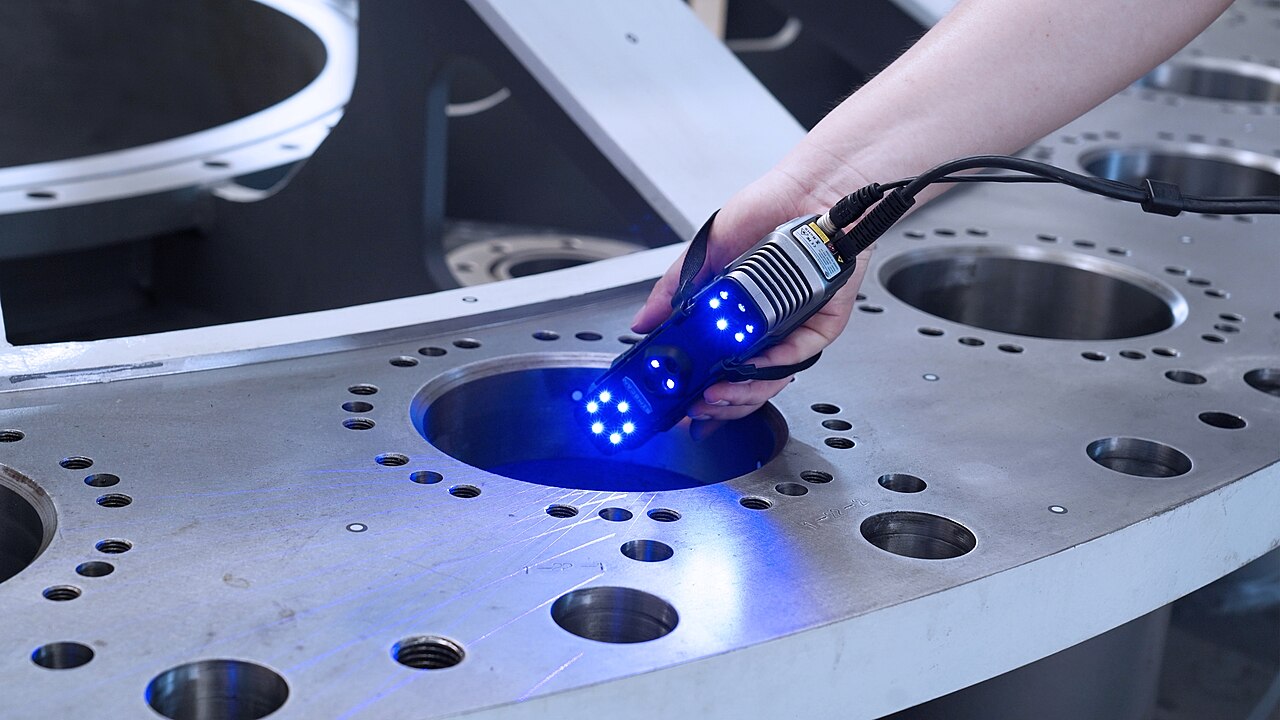
Handheld 3D scanners have spent years getting cheaper, and Creality's Pika is the latest push toward a price makers might pay without much agonizing. In a review published by Tom's Hardware on October 19, the Pika comes across as small, light and inexpensive, and it runs the same Creality Scan software as the company's Sermoon scanners, which cost far more. It can also work cordlessly when paired with a phone. The review's main complaint is about one of its scanning modes: near-infrared (NIR) tracking is hard to use. Creality's own store page lists the scanner at $699.00 and backs up the headline specs: 260 g and accuracy of up to 0.03 mm.
The Hardware: More Sensors Than the Size Suggests
The weight is the first thing to note. Tom's Hardware puts the Pika at 260 g with batteries installed, which matches Creality's listing. That is light enough to hold in one hand for a long scanning session, and a long session is what you get when you work slowly around a complex part. A 3-inch touch screen on the back shows the scan in progress when the scanner is paired to a phone or PC, so you can see what is going on without looking away at a laptop.
The sensor package is fuller than the size implies. According to the review, the front of the Pika carries an RGB camera, two 3D scanning cameras, a DOE projector, a parallel-line laser and fill lights. Put simply, that gives it more than one way to capture geometry. The spec table lists two scanning modes: blue laser, and NIR structured light.
The published specs:
- Single-frame accuracy: 0.03 mm
- Volumetric accuracy: up to 0.08 mm/m
- 3D resolution: 0.05–2 mm
- Capture rate: up to 90 fps
- Weight: 260 g with batteries
- Wireless operation: with an iPhone 15 or an Android 10+ device
Read the two accuracy numbers together. The 0.03 mm figure describes a single frame. The 0.08 mm/m figure is a per-meter figure, which is the one to watch as error builds up when the scanner stitches frames across a larger object. If you are capturing a bracket or a knob, the single-frame number matters most. If you are scanning something much bigger, the per-meter figure tells you more about what to expect.
What's in the Box
Tom's Hardware lists a glass calibration board, a tabletop tripod, a manual turntable and a spare battery in the box. The review says calibration takes about ten minutes. That is a step you should not skip, since a scanner's accuracy claims depend on its calibration. The review lists an improved calibration routine among the Pika's strengths.
The turntable and tripod matter more than they might seem. Many small-object scans go better when the scanner stays still and the object rotates, rather than the other way around. With both included, you can start on desktop-sized parts without first buying a rig. The spare battery helps the cordless setup, because a scanner that dies partway through a pass usually means starting the scan over.
Where It Works, and Where It Doesn't
Among the Pika's strengths, Tom's Hardware lists no problem with small, shiny or black objects. Those three are the usual trouble spots for consumer scanners. Small parts need fine resolution to keep their detail. Shiny surfaces scatter projected light in ways that confuse depth reconstruction. Black surfaces absorb so much light that some scanners barely see them at all. Getting usable results on those surfaces, which describe much of what makers actually want to copy, is a genuine point in the Pika's favor.
The review also highlights that NIR mode does not need marking dots. Reference markers, the small adhesive targets stuck to an object so the scanner can keep track of its position, are a standard part of scanning. They are also tedious to apply, and they can leave residue. A mode that skips them saves real time. The reviewer spent a lot of time putting dots on the included turntable for blue-light scanning, which made that mode a breeze.
That same NIR mode is where the review found its main problem: tracking using NIR is challenging. The convenience of a marker-free workflow means less if the scanner keeps losing its place partway through a capture. Buyers should expect to spend time learning the technique NIR needs. And they should not assume it will be the easy, default way to get good results on every object.
Software and Price
Some of the Pika's appeal comes from what it shares with more expensive hardware. Tom's Hardware notes that the Pika and the pricier Sermoon scanners use the same software, Creality Scan, and calls that software excellent. The review adds that the Pika is not as precise as the Sermoon series, but costs a fraction of the price. Scanner hardware gets the attention, but it is the software that decides whether a scan turns into a clean, watertight mesh or a pile of fragments that needs hours of repair. Putting a cheaper device on a mature software stack is a smart way to deliver more than the price suggests.
The software does ask something of your hardware. The Pika hands a big chunk of its processing to whatever it is connected to, so the review says you need a good phone or a fairly decent laptop to drive it. The reviewer's iPhone 15 had just enough power.
On price, the review gives the Pika as $699 on pre-order and shows it at $629.10 on Amazon. Creality's store shows $699.00 and an estimated shipping date before October 25. Prices can change quickly around a launch, so it's worth checking both before you buy.
What It Means for Makers
For anyone who designs replacement parts, accessories or fixtures around existing objects, a scanner turns hand measurement into capture. The Pika's specs, 0.03 mm single-frame accuracy and resolution down to 0.05 mm, look suited to the small, detailed parts printer owners tend to reverse-engineer. A scan won't replace calipers and CAD for parts with critical tolerances. But it gives you a reference mesh to model against, and for organic shapes that is often the difference between a project you can do and one you can't.
The Pika's cordless, phone-paired operation makes it easier to take a scanner to the object rather than the object to the bench. One catch from the review: marker-free laser scanning can only be done while the scanner is tethered to a computer. Its light weight, which the review says reduces arm fatigue when working without a tripod, makes longer sessions more bearable.
The caveats are clear from the review. NIR tracking needs patience. And the Pika's strengths are reported for small, shiny and black objects, with a manual turntable and tabletop tripod included for small items. If most of what you want to scan fits on the included turntable, the Pika looks like a strong value at its price. If you were counting on marker-free NIR scanning as your main workflow, the review suggests you should plan for a learning curve.
