
Anyone who has tried to print a life-size bust or a cosplay helmet on a typical desktop printer knows that the hard part isn't the printing. It's deciding where to cut, how the pieces will line up, and how you'll remember which part goes where three weeks and forty plates later. ModelSplitter, a free browser tool now in public beta, tries to handle that whole chain. It splits STL and 3MF files to fit a specified build volume, adds keyed joints between the parts, and exports a numbered PDF assembly guide alongside the print files.
The tool comes from a developer identified only as Nick, and was covered by VoxelMatters on October 13, 2026. It runs locally in the browser and doesn't require an account. According to VoxelMatters, it works on any mesh, including AI-generated models and 3D scans, with no restriction to tidy mechanical shapes.
Seven Ways to Cut
The project site's tagline is "split STL models and key the parts together," and the cutting toolkit goes beyond a single flat plane. There are seven cut tools: Band (an elastic loop you can push about), Rope, Line, Paint to cut, Plane, Multi-plane, and Auto multi-plane, which the site sums up as "cuts that fit my printer."
The manual tools matter for anyone who cares where seams end up. A loop or painted cut can follow a natural boundary on the model, such as around a neck or a wrist, instead of slicing straight through the middle of a detailed surface. For the cut face itself, ModelSplitter offers several treatments: it can follow the seam, keep a drawn step, use a flat plane, or apply a chamfer.
Letting the Planner Do the Math
For most users the headline feature will be Auto multi-plane. You enter your printer's build volume in millimeters, and the planner looks for the split that produces the fewest parts. A "Keep clear at each edge" setting defaults to 5 mm, so pieces don't run right up to the limits of the bed.
The developer's own example of what the planner can save: a life-size figure that a simple grid split would cut into 112 parts came out at 58 with the multi-plane planner, according to VoxelMatters. That claim comes from the developer and hasn't been independently tested, but the reasoning holds up. A naive grid ignores the shape of the model and produces lots of small slivers wherever the geometry happens to cross a grid line. Each part a planner avoids is one less plate to slice, one less seam to fill and sand, and one less joint that can go out of alignment.
Joints, Fits and Numbers
Splitting a model is only half the job, since the parts also have to register against each other. ModelSplitter supports three joint types: pins built into the parts, loose tenons that are printed separately, and magnet sockets. Joints can be sized automatically from the cut face, and the default fit clearance is 0.2 mm. VoxelMatters reports that this fit was tested on a Bambu A1 using a 20 cm model. The clearance can be adjusted for a particular printer, but makers on other printers, nozzles or materials should expect to print a test joint before committing to a 50-part build.
The bookkeeping feature may turn out to be the most useful one. With the "Number the joints" option turned on, the same number is engraved on both mating faces, and those numbers match an illustrated PDF assembly guide. Because the numbers sit on the faces being glued, they disappear once the part is assembled, so no labels show on the finished piece and no marker ink needs sanding off.
Export options are a single 3MF or a ZIP archive with separate part files, an assembly manifest and the PDF guide.
Inlays and Other Details
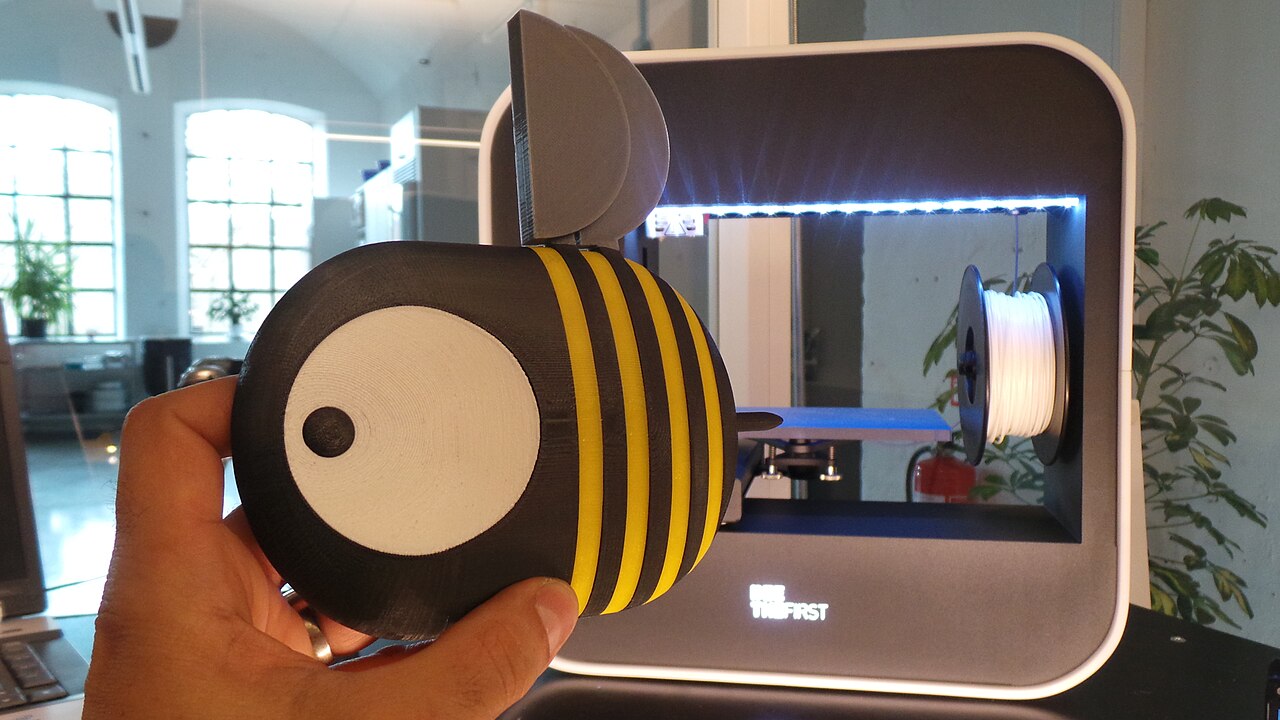
ModelSplitter also has an inlay mode, which cuts a recess into a part and generates a separate insert that can be printed in a different colour. VoxelMatters' example is a mosquito model whose eyes were printed in white and black on a single-colour Bambu printer, giving a multi-colour result without Boolean operations in a separate CAD program.
Some practical limits apply. The tool is built for a computer or a tablet with a stylus; both the project site and VoxelMatters say a phone screen is too small. For heavy meshes there's a reduce-detail option, but it only affects the working copy used during editing, and the original mesh is kept for export, so simplifying for responsiveness doesn't degrade the printed result.
On privacy, VoxelMatters reports that the tool sends only anonymous usage statistics during the beta, with no cookies and no IP logging, and that this can be switched off. Combined with local processing, that means unreleased designs and commercial client files never have to be uploaded anywhere.
The Pro Tier and the Kickstarter
The free beta isn't the full business plan. A Pro version will launch on Kickstarter on November 3, 2026, as a one-time purchase with no subscription. Per VoxelMatters, the first 50 backers pay GBP 25 and later backers GBP 37, while a four-user Studio Pro license costs GBP 119. After the campaign, prices rise to GBP 49 and GBP 159 respectively. Licenses are scheduled for delivery in January 2027.
VoxelMatters also notes that the split of features between the free and Pro tiers may still change, so anyone relying on a particular feature in the free version should treat today's beta as a preview rather than a promise.
What It Means for Makers
ModelSplitter isn't the first tool to cut a model. As VoxelMatters points out, PrusaSlicer already has cut tools with connectors, and for a simple planar split of a mechanical part that's probably all you need. ModelSplitter is aimed at the harder cases: large, organic, multi-part prints where the number of pieces, where the seams fall and how assembly is tracked decide whether the project gets finished or sits half-glued on a shelf.
The appeal is in the combination. A volume-aware planner, auto-sized joints, numbered mating faces and a printed guide together cover the slow, error-prone work that usually happens in a notebook or in the maker's head. The free browser beta has no account wall and runs locally, so trying it on a backlog model costs little. The open questions are how well the 0.2 mm default fit carries over to other machines, whether the developer's part-count savings hold up on real-world meshes, and which features stay free once Pro ships. Makers with an oversized print waiting can find out for themselves before the Kickstarter opens.
