
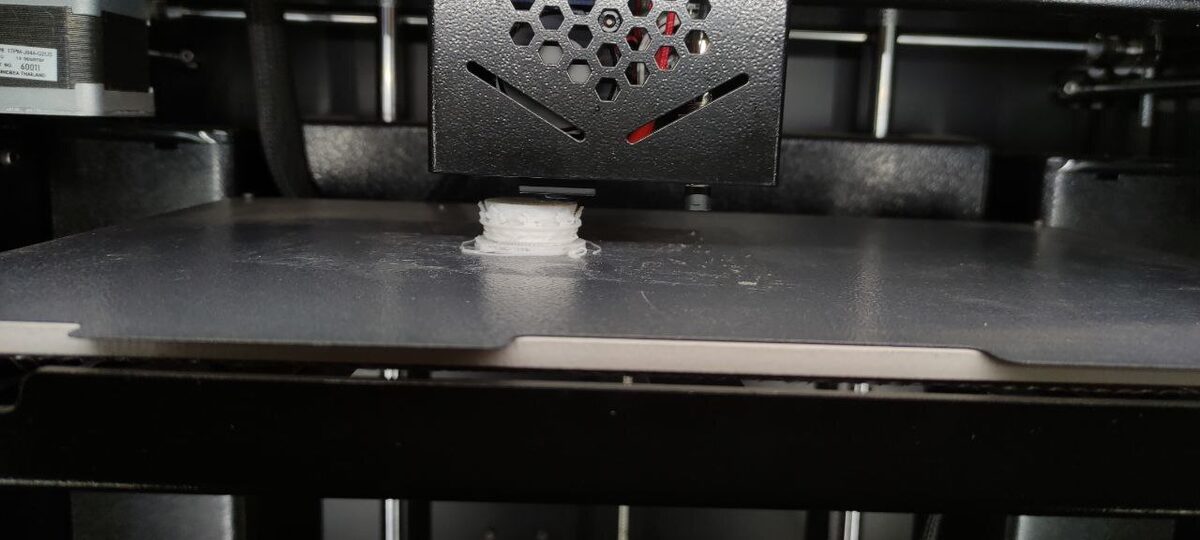
A software engineer who goes by Hank (@cantworkitout on X) has built a workflow that turns a Meta Quest 3 headset into something like Tony Stark's workshop console: pick up a 3D model in virtual reality, physically throw it across the room, and watch a real printer sitting on the other side start manufacturing it. "I've never felt more like Tony Stark than I do now," Hank wrote alongside a demo video posted September 13, 2026. "Using my Meta Quest, I can just throw 3D models at my 3D printers to have them start printing it."
It's a small clip, and, in Tom's Hardware's own framing, a project "vibe coded" rather than architected from a spec sheet. But it lands on a real, and increasingly common, pattern in maker software: using a printer's own local network API as the glue between a gesture-driven front end and an AI coding assistant that fills in the plumbing.
How the Throw Actually Reaches the Printer
According to a write-up from Tom's Hardware, published September 14 by Mark Tyson, the printer on the receiving end is a Bambu Lab P2S fitted with an AMS 2 multi-material unit — not a bespoke rig, but a shipping consumer machine. The trick isn't in the printer hardware at all; it's in the software bridge Hank built to get a VR throwing gesture translated into a print job the P2S will actually accept.
The chain has three hops, laid out by Hank himself in his post: "The Bambu Lab printers have an API that you can use to control them locally! [So I] Spun up a quick web server on my PC that glued everything together! (Android app -> PC -> 3D printer)." First, an Android app — running on or communicating with the Meta Quest 3 — captures the throw gesture and the selected 3D model. Second, that app talks to the small web server Hank stood up on his own PC, which acts as the intermediary and does the real translation work. Third, the PC server talks to the printer directly using Bambu Lab's local control API, the interface that lets Bambu printers be commanded over a local network. The result is Android app → PC → printer, with the "throw" gesture at the front end functioning as a trigger that kicks a model down that pipeline and into a live AMS 2 print job.
Per Tyson's report, Hank credits OpenAI's GPT-6 Astra model with helping finesse the integration — the "vibe coding" behind the project, meaning he leaned on the AI model to generate and iterate on the implementation rather than hand-coding the Android-to-PC-to-printer bridge from scratch. As of the Tom's Hardware report, the printer-throwing code has not been published to GitHub, though Hank has said he'll release it if there's enough interest, after some polishing.
What It Means for Makers
Strip away the VR theatrics and what's left is a genuinely useful pattern: Bambu Lab's local API is open enough that a hobbyist with AI-assisted coding help can bolt an entirely novel front end onto a stock printer without hacking the firmware or reverse-engineering anything on the printer side. That's the part worth paying attention to if you own a Bambu machine and don't care about throwing headsets. The same local-API route Hank used for gesture input is, broadly, the kind of interface that independent Bambu tools rely on, and it means the P2S and AMS 2 combo is accepting programmatic job submissions from outside Bambu's own apps without exotic hacking.
The "vibe coding" angle matters too, separate from the novelty of the demo. A year or two ago, wiring together an Android sensor app, a local relay server, and a printer's control API would have been a nontrivial project even for an experienced engineer, and a steep climb for most hobbyists. Hank's account — filtered through his own framing and the Tom's Hardware summary — suggests that an AI coding model can now meaningfully compress that timeline for exactly this kind of glue-code integration: not novel algorithms, but stitching together systems that each have documented interfaces. Whether that compression is measured in hours or days isn't specified in either the original post or the Tom's Hardware piece, but the shape of the project — three hops, one AI model doing a chunk of the code-generation work, one engineer directing it — is a template other makers can copy even without a VR headset in the loop.
It's also worth being precise about what's confirmed here versus what's implied. The verified facts are: the printer is a Bambu Lab P2S with AMS 2, the headset is a Meta Quest 3, the bridge uses Bambu's local control API, the architecture is Android app → PC web server → printer, and GPT-6 Astra assisted the coding. What isn't detailed in either source is exactly how the Quest tracks the throw gesture, what file format the model takes on its way from VR scene to sliced G-code, or whether slicing happens on the PC server before the API call or is handled by some other step in the chain. Those are the questions anyone hoping to replicate this build will be asking, and they're likely part of why Hank is gauging interest before committing to a GitHub release — a half-documented bridge script is a lot less useful to the community than one accompanied by an explanation of the gesture-capture and slicing steps in between.
Bottom Line
This isn't a product launch or a new printer feature — it's one engineer's own demo of what's possible when a printer vendor exposes a local API and an AI coding assistant handles the tedious integration work. Neither source says how long the build actually took, so it's worth resisting the urge to call it a weekend project; what's confirmed is that it exists and works well enough to film. For Bambu Lab P2S/AMS 2 owners, it's a reminder that the local control API is capable of a lot more than the stock Bambu Studio and Handy apps expose by default. For everyone else, it's a preview of how quickly "point a headset at an idea and have it print" projects might go from novelty demo to publishable open-source tool, if enough people ask for the code the way Hank has invited them to.
