
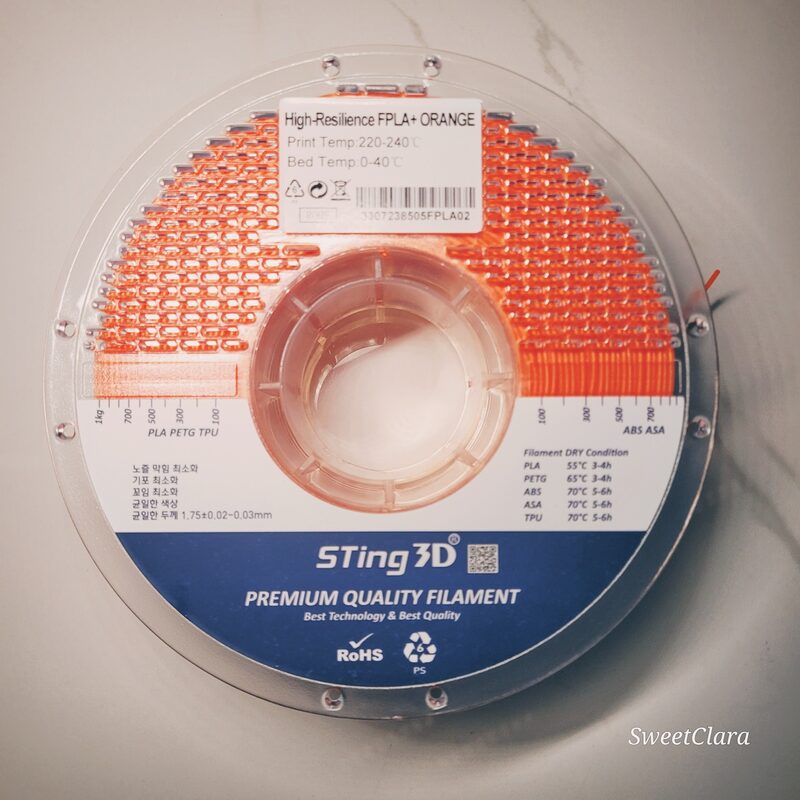
Once you have mastered PLA and PETG, flexible filament is the material that opens up a whole new category of prints — phone cases, gaskets, grips, seals, and parts that bend instead of break. TPU also has a reputation for being a nightmare to print, and it earns it if you treat it like a rigid filament. As flexible-filament guides make clear, the trick is to stop fighting its flexibility and set the machine up to work with it.
Direct drive is the hardware that matters
The single biggest factor in TPU success is the extruder type. A direct-drive extruder mounts the motor right above the hot end, leaving a filament path of just a few centimeters, so it grips the filament immediately before it melts and gives the soft material no room to buckle. A Bowden setup, where the motor pushes filament through a long tube to the hot end, gives flexible filament a long stretch in which to squish, coil, and jam — you can print TPU on Bowden, but it is a fight, especially at speed. If you are buying a printer specifically to print flexibles, direct drive is close to non-negotiable, and most modern machines have moved to it anyway.
Slow down and ease off retraction
TPU rewards patience. Print standard TPU at roughly 20–40 mm/s — walls slower still, around 15–20 mm/s — because pushing flexible filament too fast causes it to compress and skip rather than extrude cleanly. High-flow TPU variants from brands like Bambu, Polymaker, and SUNLU can manage 60–80 mm/s on a well-tuned direct-drive machine, but treat that as a goal to work up to, not a starting point. Retraction is the other big lever: use very little of it, around 0.5–1.5 mm at 20–30 mm/s. Retract a flexible filament too far and it simply stretches like a rubber band instead of pulling back, which causes jams and inconsistent flow. Less is genuinely more here.
Dry it — really
If there is one step people skip and regret, it is drying. TPU is strongly hygroscopic, absorbing moisture from the air far faster than PETG or ABS, and wet TPU sizzles, bubbles, loses layer adhesion, and strings everywhere no amount of retraction tuning will fix. Dry it at 50–60 °C for four to eight hours before a print session if it has been stored open, and keep it sealed with desiccant at below 20% relative humidity between uses. A filament dryer that doubles as a feeding spool box is close to mandatory for serious flexible work. More TPU prints are ruined by moisture than by any setting on the slicer.
Temperatures, infill, and the right hardness
Round out the profile and you are there. Print TPU in the range of 210–240 °C — 225 °C is a sensible starting point — with a bed around 40–60 °C for adhesion. For the part itself, a gyroid or honeycomb infill at 10–20% gives much better, more uniform elastic behavior than a grid pattern, letting the part flex evenly rather than in stiff facets. And mind the hardness rating: most general-purpose TPU is 95A, firm enough to feed reliably through most direct-drive printers while still flexible enough for cases, gaskets, and grips. Softer TPUs (85A and below) are wonderfully squishy but much harder to feed, so start at 95A and only drop softer once your machine and settings are dialed in.
What to make, and how to design for it
Half the fun of TPU is that it makes a different category of object possible, and designing with its flexibility in mind pays off. The obvious wins are protective and functional: phone and tablet cases, camera grips, drone bumpers, tool handles, door and drawer gaskets, vibration-damping feet, and watch bands. Because TPU grips and seals, it is also the go-to for any part that needs to hold friction or keep liquid or dust out. When you design for it, lean into the material: thinner walls flex more, thicker walls and higher infill stiffen the part, so you can tune feel by geometry rather than by buying a different durometer. Generous fillets and avoided sharp internal corners help, both because flexible parts concentrate stress there and because the soft material prints those transitions more cleanly.
If a TPU print goes wrong, the cause is usually one of a short list. Stringing and a rough, bubbly surface almost always mean wet filament — dry it before blaming anything else. A grinding sound and skipped extrusion mean the filament buckled, so slow down and reduce retraction, and check that the path from the gears to the hot end has no gaps for it to escape into. A part that will not stick is usually a bed too cool or a surface that needs a little glue stick. And blobs or zits on the surface point to too much pressure lingering in the nozzle — a touch of coasting or a slightly lower temperature cleans them up. Work that short checklist and TPU stops feeling temperamental and starts feeling like just another material with its own, learnable rules.
Flexible filament intimidates more makers than it should. Treated like PLA it will jam, string, and disappoint — but set up deliberately, with a direct-drive extruder, patient speeds, almost no retraction, and genuinely dry filament, TPU is no harder than any other material, just different. The reward is a whole class of useful, satisfying parts that rigid plastics simply cannot make. Get it dialed in once and you will reach for it far more often than you expect, and wonder why you waited.
What It Means for Makers
- Direct drive first. It is the hardware that makes flexible printing reliable; Bowden setups fight you, especially at speed.
- Slow and low-retraction. 20–40 mm/s and 0.5–1.5 mm retraction stop the buckling and stretching that cause jams.
- Dry it or fail. TPU drinks moisture; a 50–60°C dry and sealed storage fixes strings and bubbles no setting will.
- Start at 95A with gyroid infill. It feeds reliably and flexes evenly — go softer only once you are dialed in.
