
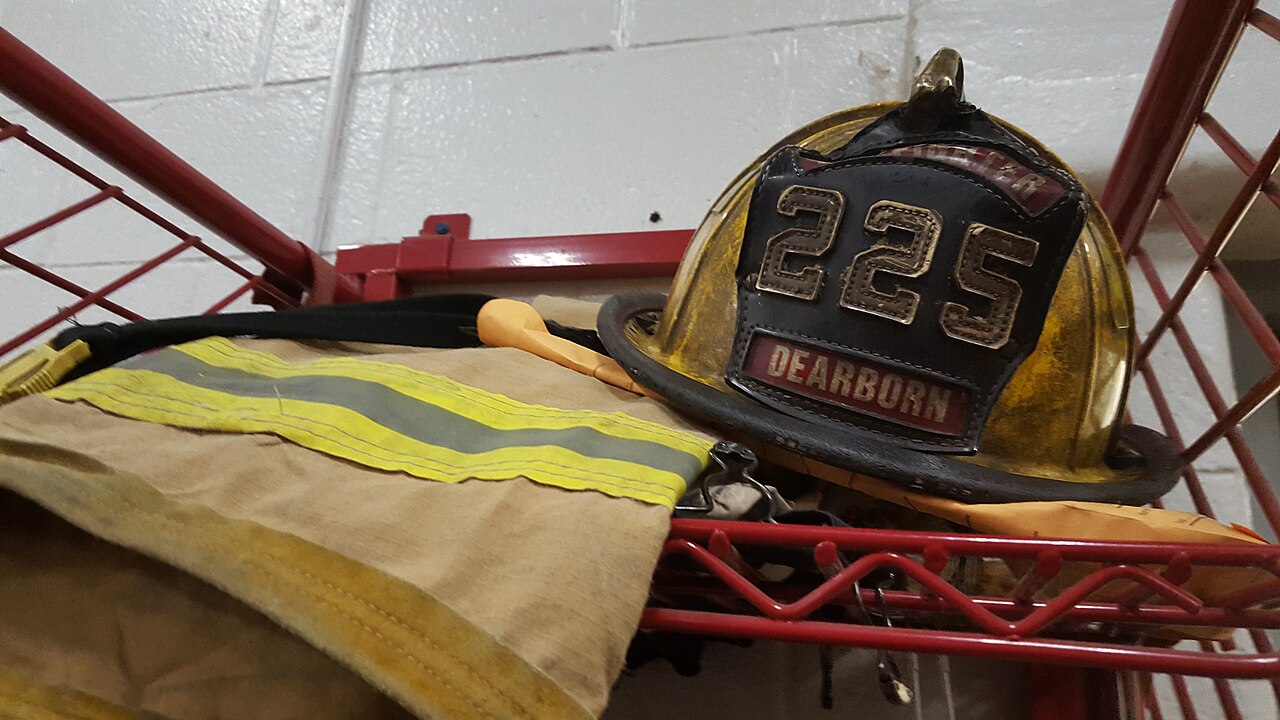
A fire station is not the first place most people would look for a well-run print farm. But a profile published on Prusa's blog on October 30 describes how the Fire Rescue Service of the Capital City of Prague has built 3D printing into its daily work at the central station. The service was founded in 1853 and handles up to 2,500 dispatches a year. It uses a single Prusa CORE One L to make mounts, door wedges, elevator keys and test plugs. Prusa wrote the piece and sells the printer, so read the savings figures as vendor-reported. Even so, the setup is a useful case study for any small organisation thinking about bringing fabrication in-house: a club, a workshop, a school or a municipal department.
This guide breaks the Prague setup into its parts: how it started, who runs it, what it prints, how parts are validated, and why the choice of printer depended on more than build volume.
Step One: Start With a Champion and a Pilot
The project didn't come from a procurement plan. According to Prusa, a firefighter who already printed as a hobby started it. After a visit to the Prusa factory, the company supplied a printer for a pilot. That order of events is typical of successful in-house fabrication. Someone who already knows the workflow (slicing, material quirks, bed adhesion, what fails and why) shows the value at small scale before the organisation commits.
For a maker trying to sell 3D printing to a club or an employer, the lesson is to define the pilot narrowly. Pick a few parts that are clearly costly or slow to get through normal channels, print them, and document the results. Prague's early catalogue looks like it was built exactly that way.
Step Two: Staff It Like Equipment, Not a Toy
About 67 firefighters work across three 24-hour shifts at the station, and Prusa reports that each shift has one trained operator. That detail matters more than it seems. A printer that only one enthusiast can run becomes a single point of failure. When that person is off, on leave or reassigned, the machine sits idle. With one trained operator per shift, someone qualified is always on site, and the machine is treated as station equipment rather than one person's side project.
Smaller groups can copy the model at their own scale. Train a second or third person, write down the printer's profiles and quirks, and store the print files somewhere shared rather than on one person's laptop.
Step Three: Choose Parts Where Printing Clearly Wins
The parts described in the profile fall into a few recognisable groups:
- Access tools. The station prints grippy door wedges and lightweight elevator keys. Prusa says the printed wedges grip wet tiles where the old wooden ones were slippery, and the printed elevator keys are light enough to carry in a jacket pocket. These are simple shapes where printing beats the generic item they replaced.
- Replacement hardware. Broken helmet brackets are the headline example. Prusa says replacing items like these in-house saves about 90 to 95 percent compared with buying vendor parts.
- Test fixtures. The station prints dry suit pressure plugs for leak tests. Fixtures are a classic in-house job: low volume, specific to the equipment, and often expensive or slow to source.
- Mounts. Fitted bracket sets that hold axes, mops and squeegees in place when the trucks roll out, which Prusa says cost a fraction of commercial tool rails.
The parts are printed in Prusa Orange to match the fire engines. Prusa says the colour matches the high-vis orange on Czech fire engines and makes tools easy to spot in dark truck compartments. A consistent colour like this also makes it easy to tell printed parts from original ones, which is a sensible habit for any shop.
The 90 to 95 percent figure deserves context. It comes from a single vendor source and describes replacement items, not every part. The general pattern will still be familiar to anyone who has priced a small proprietary plastic bracket against the cost of a few dozen grams of filament. Where the original part is a low-stress piece of plastic sold at a big markup, printing usually wins easily. Where a part is load-bearing or safety-certified, the calculation changes, and so does the need for validation.
Step Four: Validate Under Real Conditions
Fire service gear works in an unusually harsh environment, and Prague's team doesn't take printed parts on trust. According to Prusa, parts are tested with heat and direct flame in a Flashover Container, the station's training facility. Prusa says every printed part is tested this way before it reaches the field.
The profile doesn't give pass/fail criteria or say which filaments were tested. The principle carries over anyway: test parts in the conditions they will actually face. For most makers that means more ordinary tests, such as leaving a dashboard mount in a closed car in summer, running a fixture through repeated cycles, or deliberately overloading a bracket to see where it fails. If you don't test, you're guessing.
Step Five: Treat the Printer as a Networked Device
The detail that may matter most for institutional buyers is about IT, not mechanics. As a state agency, the Prague service must follow cybersecurity rules set by NUKIB, the Czech national cybersecurity authority. Prusa reports that those rules rule out consumer printers that depend on the cloud. The service needed a machine that would work without phoning home.
This is becoming a real selection criterion. Many current consumer printers assume a vendor cloud for job submission, monitoring or firmware management. That is convenient at home and a compliance problem for a government body, a hospital, a defence contractor or any business with a strict network policy. Before buying, check whether the printer can be fully operated offline or over a local network, and whether that remains true after firmware updates.
The Hardware
The CORE One L is Prusa's larger enclosed machine. The manufacturer lists a build volume of 300 x 300 x 330 mm, an aluminum convection bed that reaches 60 °C quickly, and an enclosed chamber. It is not a small printer: Prusa gives the machine's dimensions as 469 x 521 x 635 mm and its weight as 21.9 kg, so it needs a permanent spot on a solid bench rather than a corner of a desk. For a station printing items from small elevator keys to larger mounts, the extra volume gives room to batch parts or print bigger fixtures in one piece.
What It Means for Makers
The Prague case is a vendor showcase, and the savings figures come from Prusa alone. The workflow behind it is still sound, and it scales down well. A champion runs a narrow pilot. Trained operators are available whenever the machine is needed. Parts are chosen where printing clearly beats buying. Parts are tested under realistic conditions. The printer is selected with network and compliance requirements in mind, not just speed and volume.
For makers pitching 3D printing to a volunteer group, a school or a small municipal department, that checklist is more convincing than any spec sheet. If the organisation has IT rules, the question of whether a printer works without the cloud may decide the purchase before build volume is even discussed.
